
MajorNewImprovedAiRA
October 2026: a new search flow, smarter screening and AiRA on every page
Confirm your search fields first and AiRA writes the JD from them. Ask follow-up screening questions, shape passive sourcing with likes and passes, act on many candidates at once, see the reasoning behind every score, and ask AiRA from any page.
- Search fields first, then the JD
- Follow-up screening questions
- Passive sourcing that learns what you like
- Bulk move and download
- The reasoning behind every score
- AiRA on every page
A new way to start a search
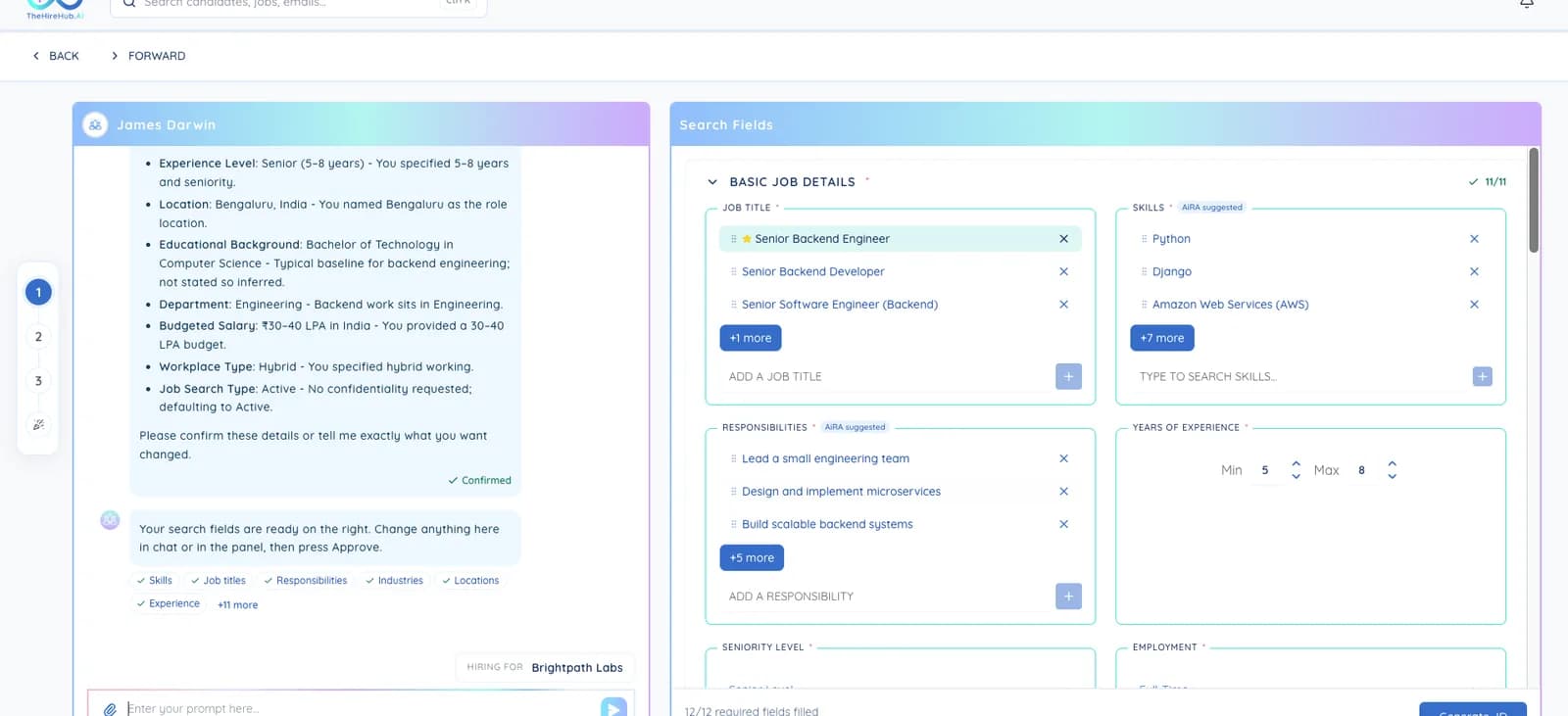
- Search fields first, then the JD. Tell AiRA about the role and the Search Fields (title, skills, location, salary, experience and more) fill in next to the chat as you talk. Check them, change anything you like, then approve.
- AiRA writes the JD from what you approved, so the job description and your search always match, and your search returns better results from the very first run.
- Already have a JD? Upload it. AiRA reads it and fills in the search fields for you to check.
- Never out of date. Change the search fields after the JD is written and we'll remind you to update it. Go back to the search fields from the JD at any time.
- Download JD as a PDF, a Word file, or the file you uploaded.
- Your own industry and education requirements. Type an industry that isn't on the list, and set custom education requirements.
Smarter screening
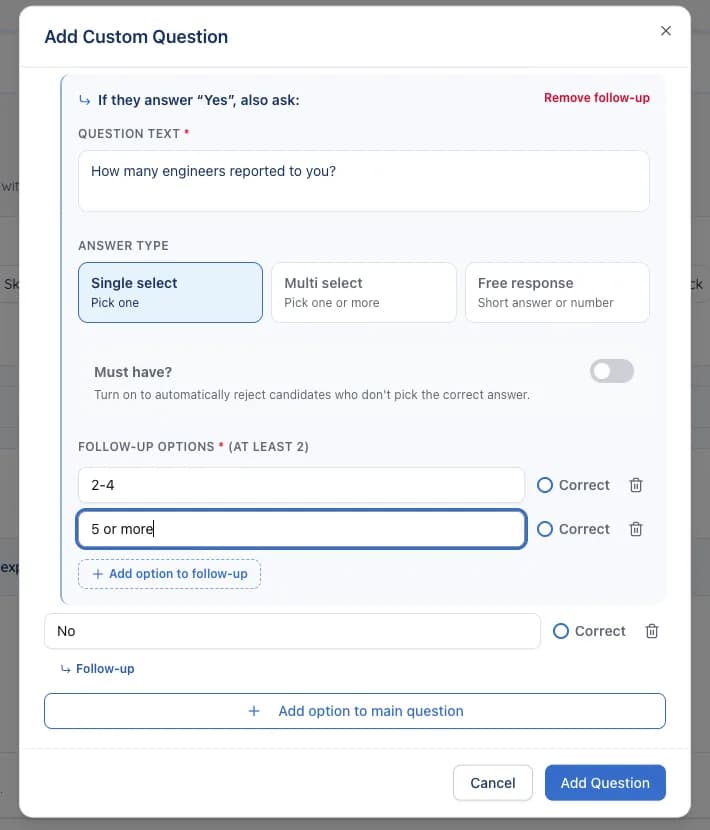
- Follow-up questions. Add a follow-up to any option, and it appears automatically when a candidate picks that answer, so you learn more before they even apply.
- More ways to ask, including open text answers.
Passive sourcing that learns what you like
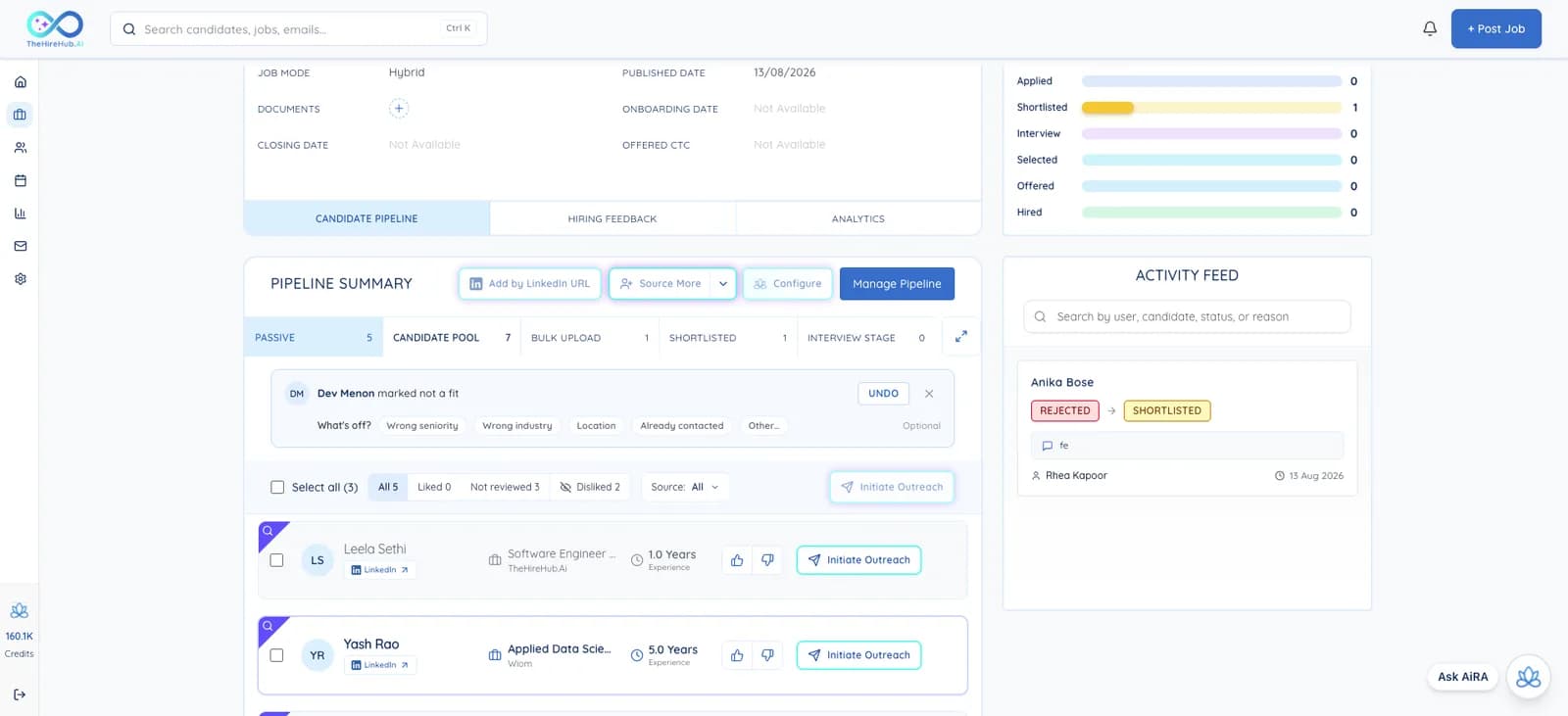
- Like or pass as you explore. Mark a sourced candidate Not a fit, with an optional reason, and they move to Hidden. Undo any time.
- Your feedback shapes the next search. Profiles you pass on step out of view, and the ones you like come first when AiRA sources for your next roles.
- Add anyone by LinkedIn URL. Paste a LinkedIn link, AiRA finds the profile, and you can reach out and invite them to apply.
- Get more candidates whenever you need another batch, and filter your pipeline by batch.
- Duplicate warning if you try to add someone who's already in your pipeline.
Bulk actions
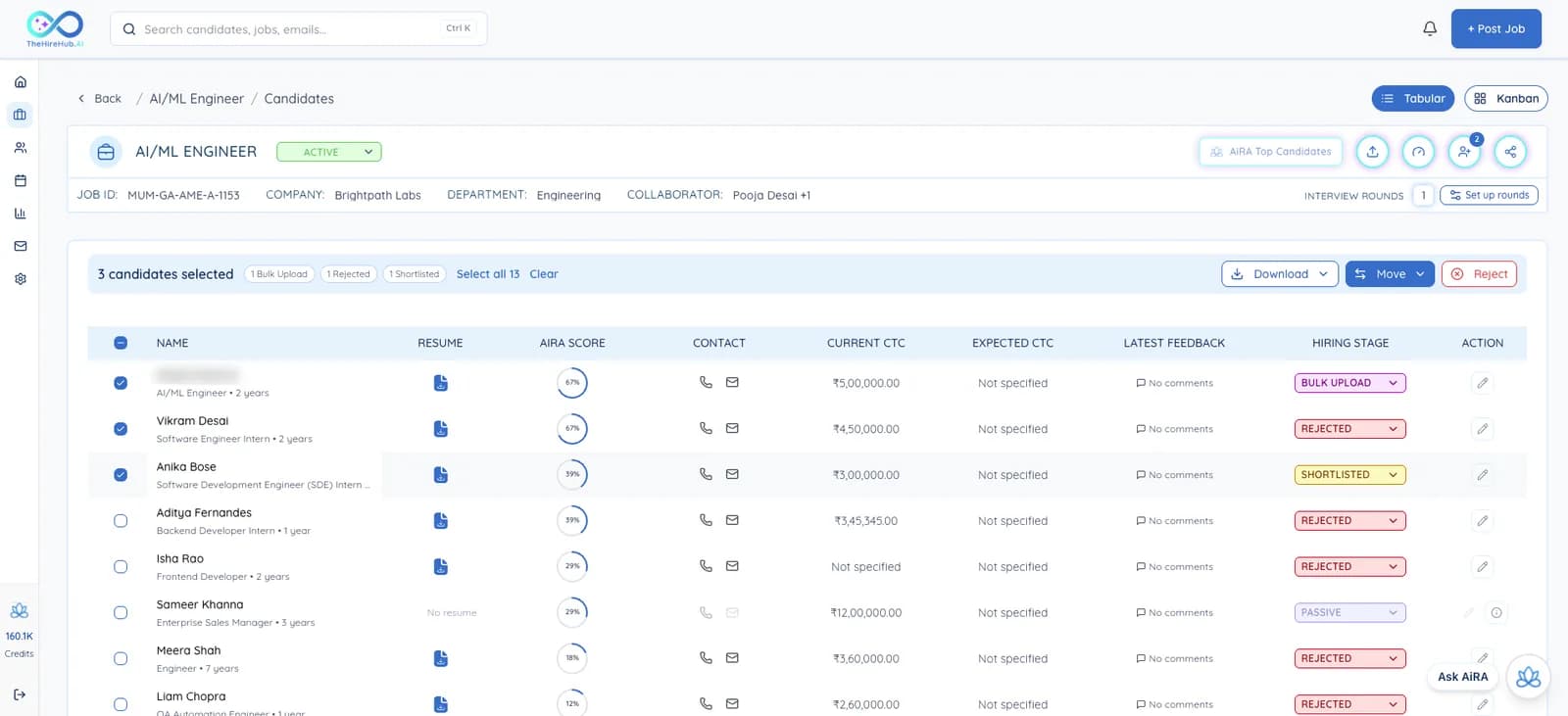
- Select many candidates at once, then move them to a new stage or download their CVs in one go.
- Bulk Upload has its own column, so candidates you uploaded are easy to find, and their counts show next to your applicants.
See the reasoning behind every score
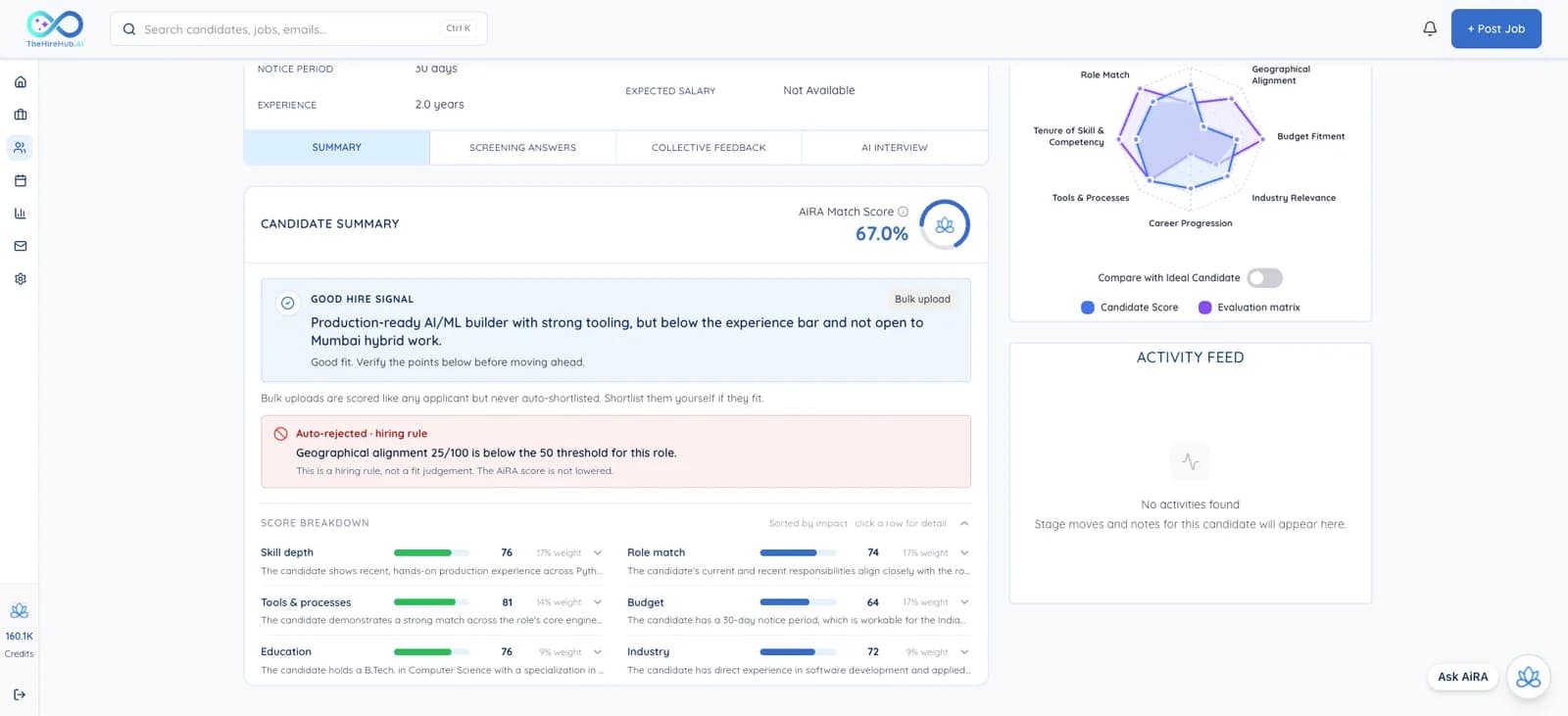
- How the score is worked out. Every candidate's AiRA match now shows the scoring guidelines, the weight of each part and the reasoning behind the score.
- Check screening answers against the candidate's profile.
AiRA on every page
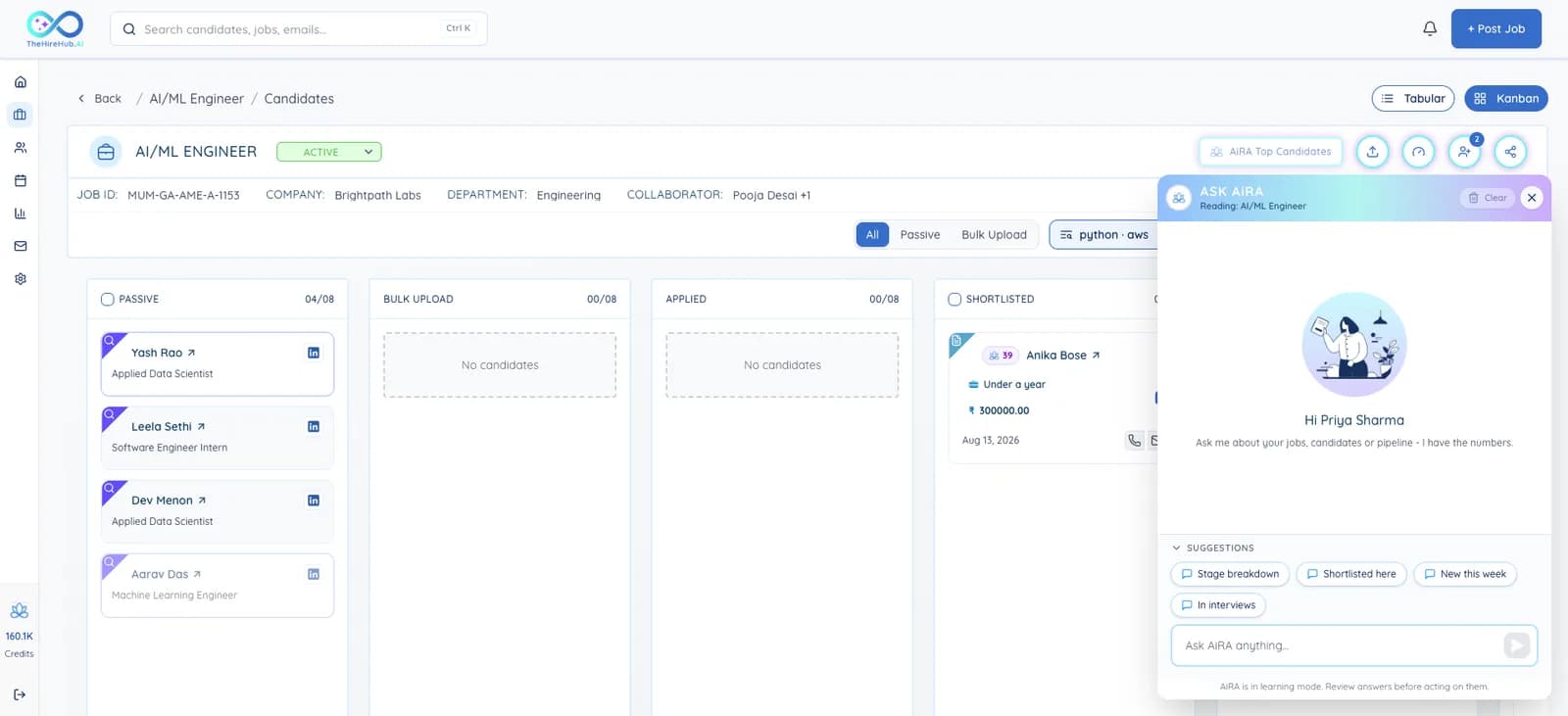
- Ask AiRA from anywhere. AiRA now sits one click away on every page, already aware of the job you're looking at. Ask a quick question or tap a suggestion like Summarise my last week.
Search
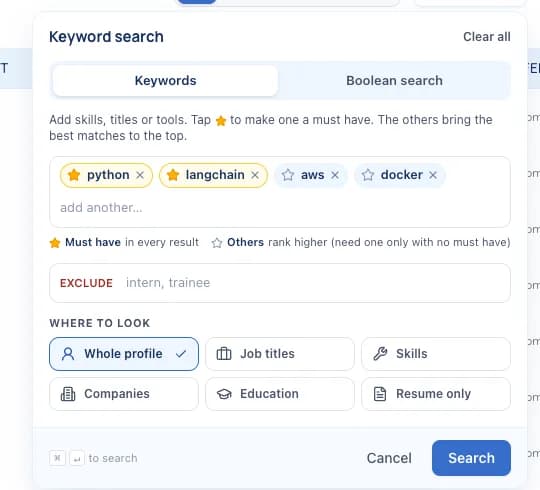
- New search bar at the top of every page.
- Keyword search your way. Mark must-have skills, or use Boolean search for exact results.
Hiring manager approvals
- Approve and publish in one click from the job preview.
- See what changed before the job goes live.
- Add another hiring manager right from the approval card.
Your candidate pipeline
- Record offers and joining dates when you move a candidate to Offer or Hired. The job header now shows the closing date, joining dates and offers.
- Salary at a glance. The job shows the total salary budget, with fixed and variable pay side by side.
- See candidate reminders that went out, on the candidate's activity.
- Applied via outreach. Candidates who applied after your outreach are tagged so you know.
- Messages tab. Chat with candidates and send files from their profile.
- Better documents. A redesigned documents window shows who uploaded each file, and you can add links as well as files.
Interviews
- AI interviews don't restart on refresh. If a candidate refreshes the page, the interview carries on from where it was.
- A calmer finish. Candidates get a heads-up before time runs out, a little extra time to finish their answer, and a proper closing.
- Clearer interview reports, including time the candidate spent away from the interview.
- Right language by default. New AI interview rounds start in the job's language.
- More control over who can interview on a panel.
For candidates
- Track applications on AiRA Careers. After applying, candidates can follow their application and find more jobs.
- Book interviews on AiRA Careers, or right here, whichever they prefer.
- One consent box on the apply page covering every policy.
- Company logos link to the company's website on the apply page.
Reports
- Uploaded candidates now show up in your pipeline overview and reports.
Look and feel
- A cleaner, more consistent design on every screen.
- Faster pages, especially for big candidate lists.
- Back where you were. After signing in, you land on the page you were on.
Fixes
- Salaries show in the candidate's own currency.
- The board view keeps the sort order you picked.
- Your answers are kept when you go back a step while creating a job.
- Bulk downloads include every file you picked.
- Plus lots of smaller fixes.