
Platform

Multi-client recruiting software for agencies.

Everything a multi-client desk needs to run like one team. Scroll down to run a search through it yourself.

Definition

What is multi-client recruiting software?

Multi-client recruiting software lets a recruitment agency or search firm run hiring for many clients from one account. Each client gets its own workspace for jobs and candidates. Clients can sign in to shortlist or reject, and jobs can be posted without the client's name.

One search, start to finish

Scroll to run a search through the platform.

Six stages, from adding a client to the offer. Sample data throughout.

  1. Stage 1 · Client

    Add the client

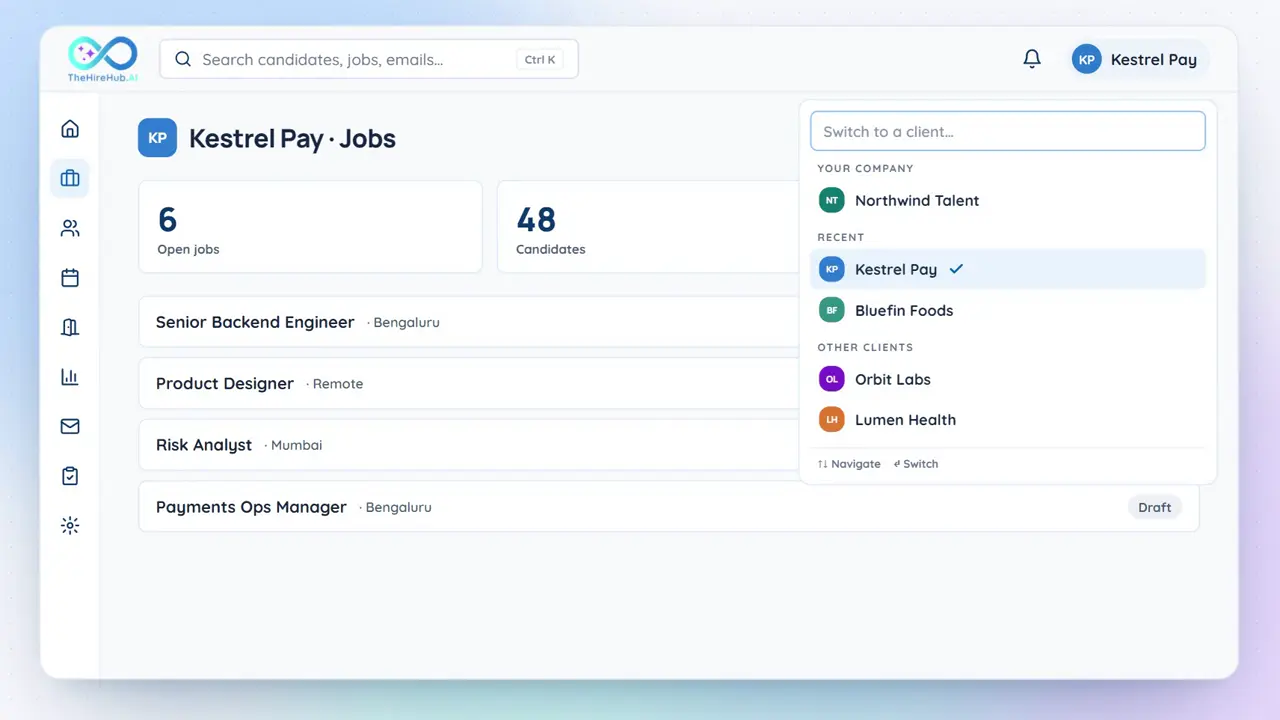
    Enter the client's website. Logo and company profile fill in, and open roles on their careers page can be imported. Upload briefs and decks so AiRA writes in their voice.

    AiRA
    Meridian Foods added. Logo and profile filled in from their website. Brief and org deck uploaded.
  2. Stage 2 · JD

    Write the job description

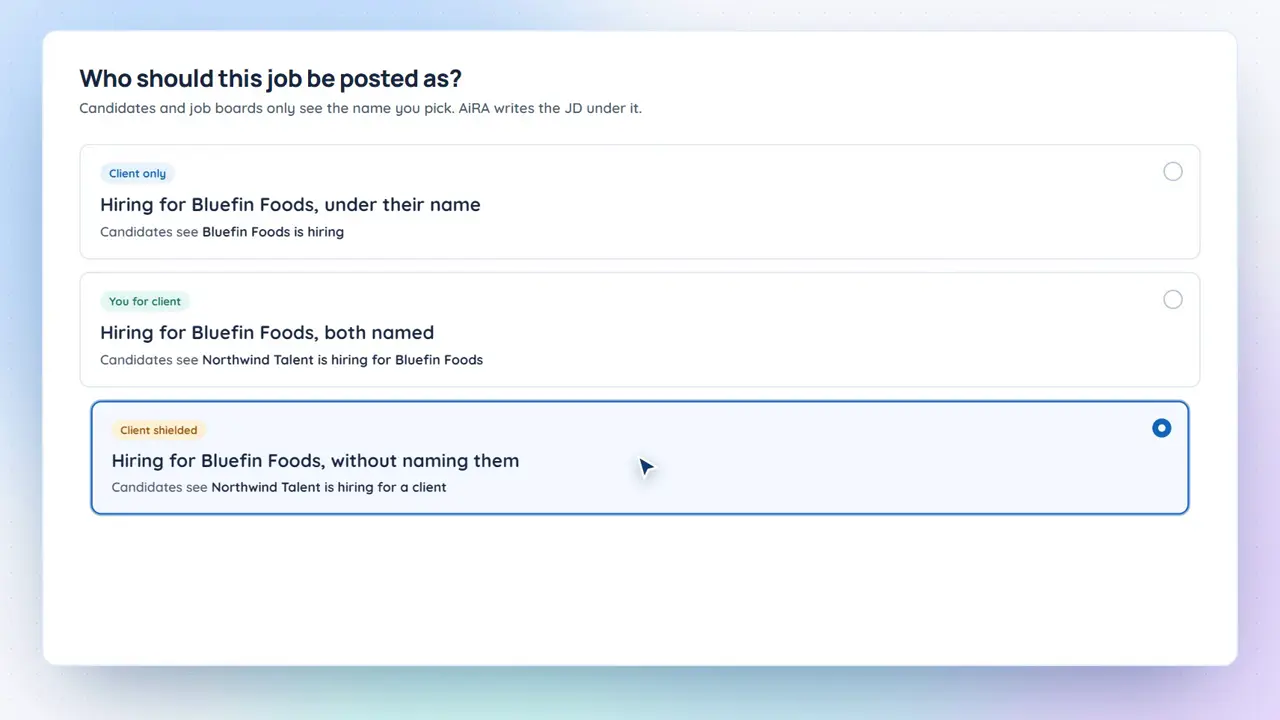
    AiRA drafts the JD from the client's own documents. Confidential clients stay unnamed on the post and in candidate emails.

    AiRA
    Plant HR Manager, Pune. JD drafted from Meridian's brief. Posting under your agency's name.
  3. Stage 3 · Source

    Post and source

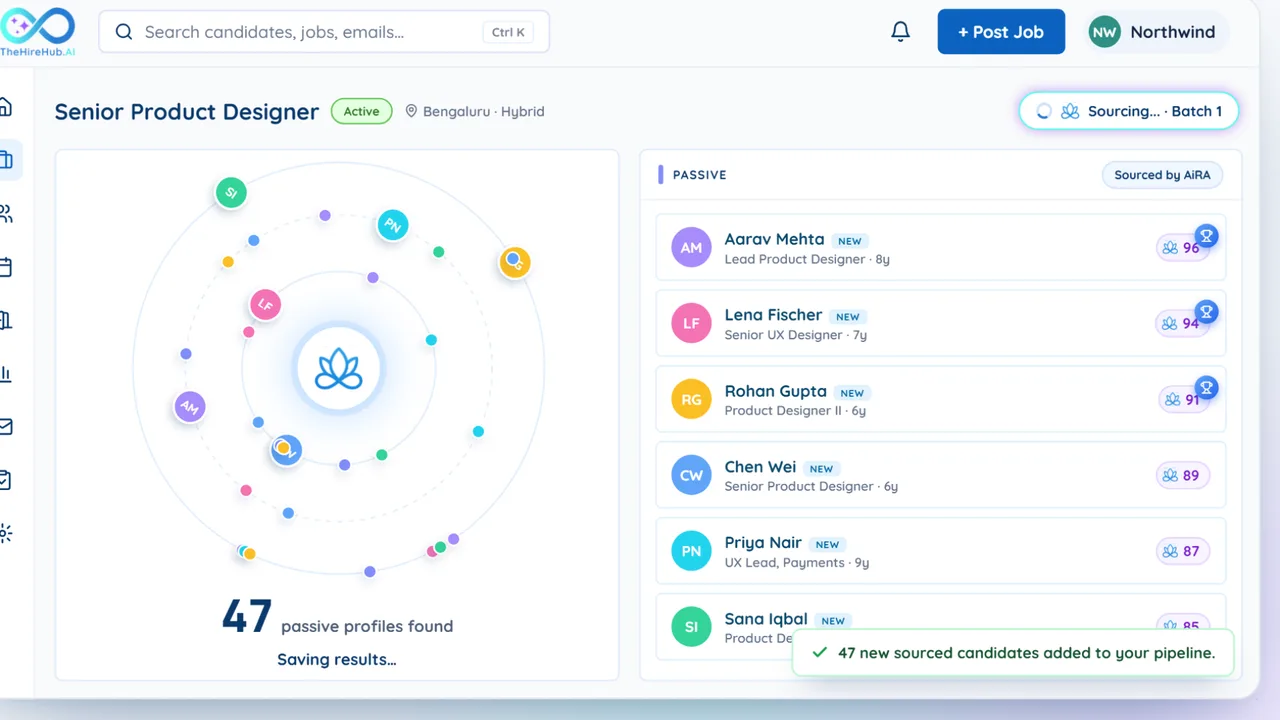
    Post the job and AiRA sources passive talent while applications arrive, so the pipeline fills before anyone applies.

    AiRA
    Posted. Sourcing passive talent alongside inbound applications.
  4. Stage 4 · Screen

    Screen every CV

    Each CV is read against the job description and scored. You set the bar; everyone above it is ready for the shortlist.

    Plant HR Manager · screening4 to shortlist
    R. Kulkarni94%
    A. Menon91%
    S. Iyer86%
    P. Rao81%
    D. Shah74%
    N. Das66%
    AiRA
    Every CV scored against the JD. Move the bar to see who clears it.
  5. Stage 5 · Review

    Client reviews the shortlist

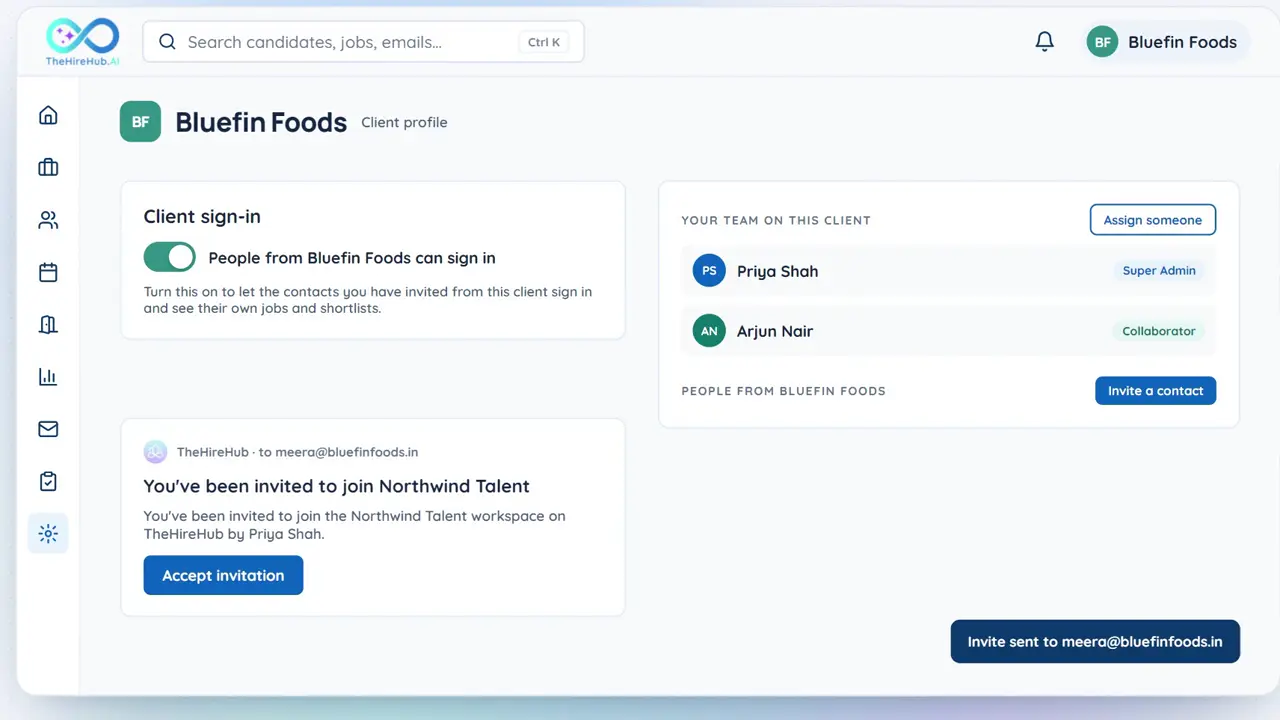
    Your client signs in to shortlist or reject. They never see contact details or sourcing. Switch client sign-in off and your team shares updates instead.

    AiRA
    Meridian's team signs in, sees the candidates you put forward and acts on them.
  6. Stage 6 · Interview

    Book interviews, reach the offer

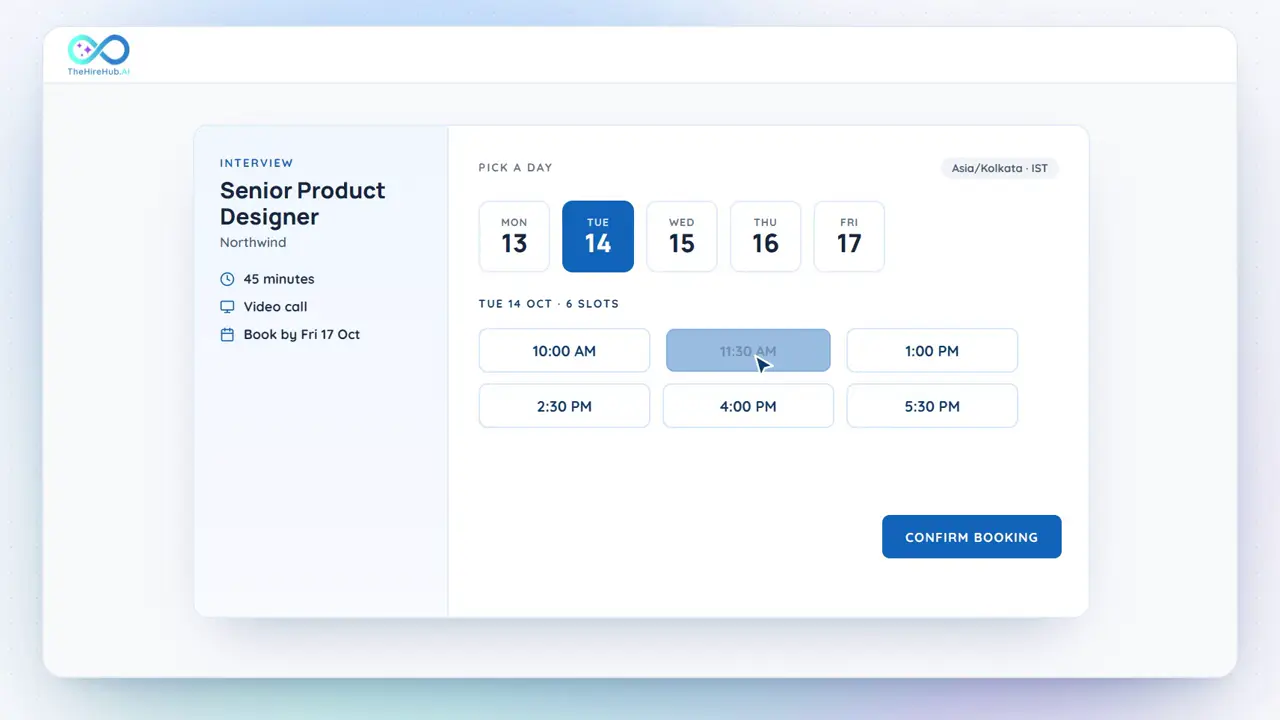
    Interviews are scheduled without email ping-pong, and every stage stays visible to your team.

    AiRA
    Interview booked on every calendar. Each stage tracked through to the offer.

What changes on Monday

One desk. Many clients. Nothing crossing the wall.

Seven capabilities, each built around a moment that goes wrong on a busy multi-client desk.

01 · What does your client see at 6pm on a Friday?

Client sign-in, on or off per client

Give a client a window into their own hiring without giving them the keys.

They sign in, open their own jobs and review the candidates you have put forward: shortlist or reject, in one click. Your team runs every other stage. Contact details and sourcing stay hidden. Prefer to keep updates in your own hands? Switch client login off for that client and nothing else changes.

How it works

Client view · Plant HR Manager

RK
R. Kulkarni
14 yrs · Manufacturing HR · Pune
91%

Contact details and sourcing hidden

Shortlist Reject

02 · Why does every first draft sound like a stranger?

Client documents that AiRA reads

Upload briefs, decks and role notes to a client. AiRA uses them as context when it writes that client's job descriptions.

The first draft already knows the client's tone and the details your role notes mention, so your team edits instead of rewriting.

How it works
Meridian brief.pdf Org deck.pptx Role notes.docx
AiRA

Using Meridian's brief and org deck for tone and reporting lines. The JD mentions plant operations and union relations because your role notes do.

03 · What if adding a client took one web address?

Add a client from their website

Enter the client's website. Logo and company profile fill in, and open roles on their careers page can be imported as drafts.

Review what AiRA found, import the roles you want to work on, and the client is ready for documents, jobs and candidates. Less admin before the first search starts.

How it works

Try it with the sample website above.

04 · What happens to the candidates you already have?

One company database for your agency

Every candidate your agency has met lives in one database, searchable on every client's roles.

Bulk-upload resumes and duplicates merge into one record with their history. Before anyone reaches out, your team is warned when a candidate is already shortlisted for another client.

How it works
Company databaseMatches for Plant HR Manager
A. Menon89%
S. Iyer84%
P. Rao80%

S. Iyer is already shortlisted for another client.

05 · Who is allowed to know the client's name?

Three ways to post a job

Under the client's name, as your agency for the client, or as your agency with the client kept confidential.

On a confidential job the post carries your agency's name, and candidate emails do too. The client's name stays inside your team's workspace.

How it works

Job post, as candidates see it

Your Agency is hiring a Plant HR Manager in Pune for a confidential client.

Confidential clientAgency name shown

06 · Why does every CV arrive in a different shape?

Client-Ready CVs

Tick the shortlist and download every CV reformatted in your branding, with the original resume and a match summary.

Every CV reaches the client in the same format, whatever job board it came from. Phone numbers and emails are removed, so the client comes back to you to set up interviews.

How it works
RK
R. Kulkarni
Plant HR Manager · Pune
91%

Match summary: plant operations, union relations, 14 years in manufacturing HR.

07 · Whose name is on the email a candidate reads?

Client-branded emails

Emails to candidates on a client's job can use that client's own email templates.

Candidates hear from the brand they are applying to. Switch client and the templates switch with it. On confidential searches your agency's name leads instead.

Ask to see this in your demo
Meridian Foods

Interview invitation: Plant HR Manager

Regards, Meridian Foods Talent Team

Before you ask

Straight answers to what agency owners worry about.

Can a client see my other clients?
No. Each client has its own space for jobs and candidates. When a client signs in, they see their own jobs and nothing else.
Will my client find a way around me?
The client view is built for decisions: shortlist or reject. Contact details and sourcing stay hidden, and you can switch client login off for any client.
Will the job descriptions sound generic?
AiRA reads the briefs, decks and role notes you upload to that client, so the first draft uses their tone. Your team still edits and approves.
What if the client has to stay confidential?
Create the job as a confidential-client job. Your agency's name is shown on the post and in candidate emails. The client's name is not.
Do I have to start from zero?
No. Bulk-upload the resumes you already have into your company database. Duplicates merge into one record, and every client's roles can search it.
What does the demo cover?
In 30 minutes we walk through the platform with one of your real clients in mind: their workspace, client sign-in and a confidential job.

See it with your own clients.

In a 30-minute demo we walk through the platform with one of your real clients in mind.